
.svg)
An easy way to create photo reports.
Reports should be clear, presentable, and easy to follow. See how we aim to do that at Kybo.
Start here
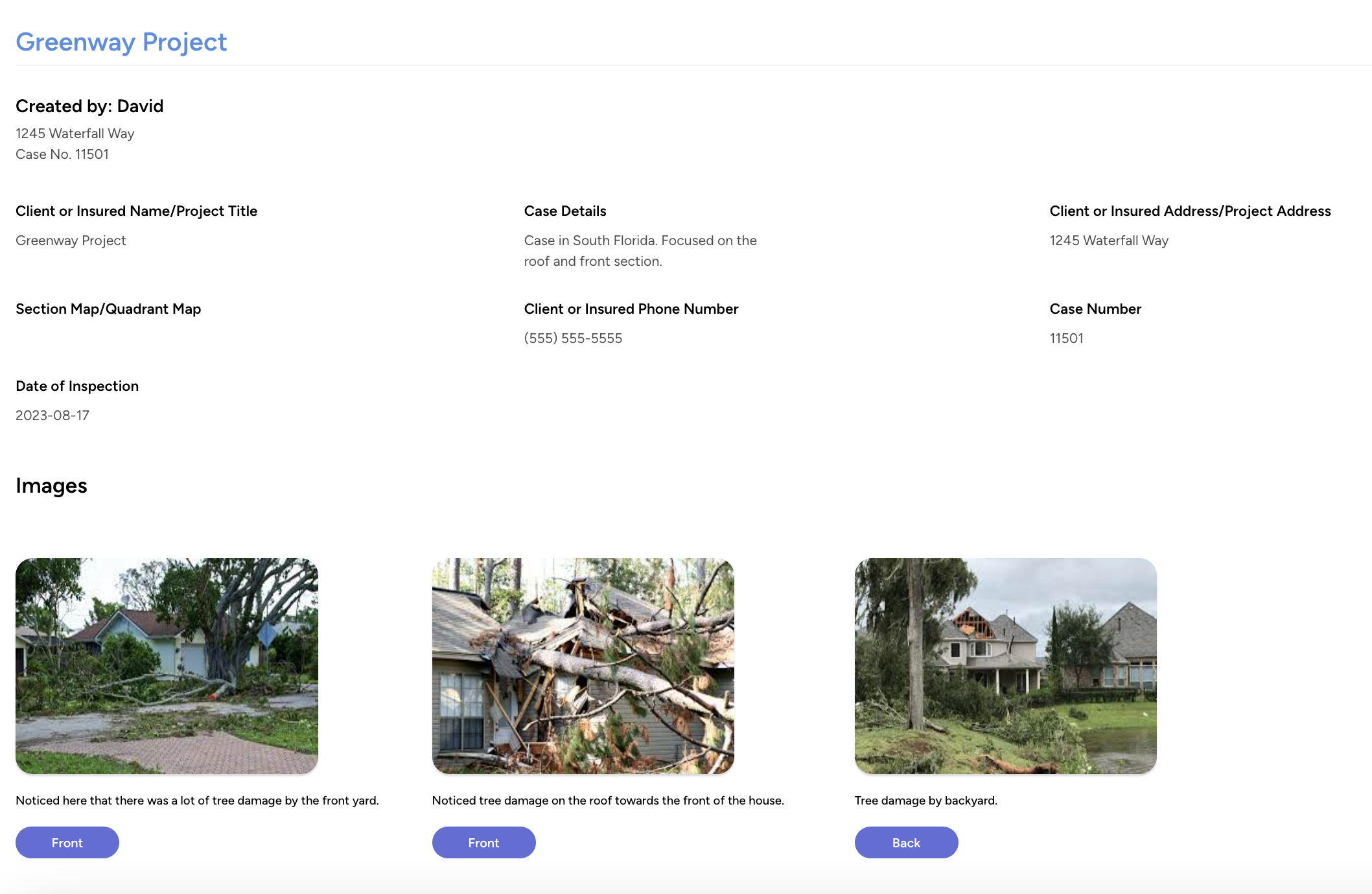
Why should you use Kybo to create reports?
It shouldn't take hours to properly format a report and get your images to fit exactly how you want
them to.
With Kybo, our reports focus on the images you take, making sure that your clients clearly see what
you want to show them.
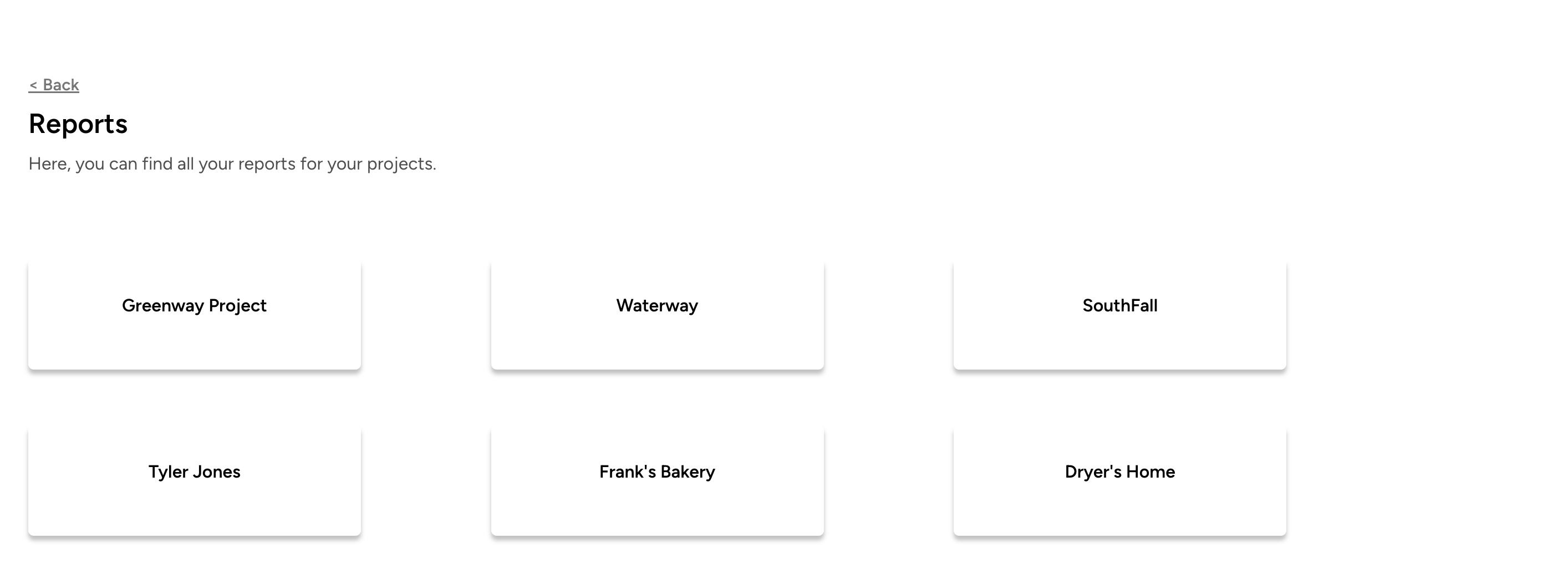
Step 1: Create your project
With Kybo, it's easy to create a project, add basic details, and upload your images. Click "Generate report" to get a report link to share with clients.
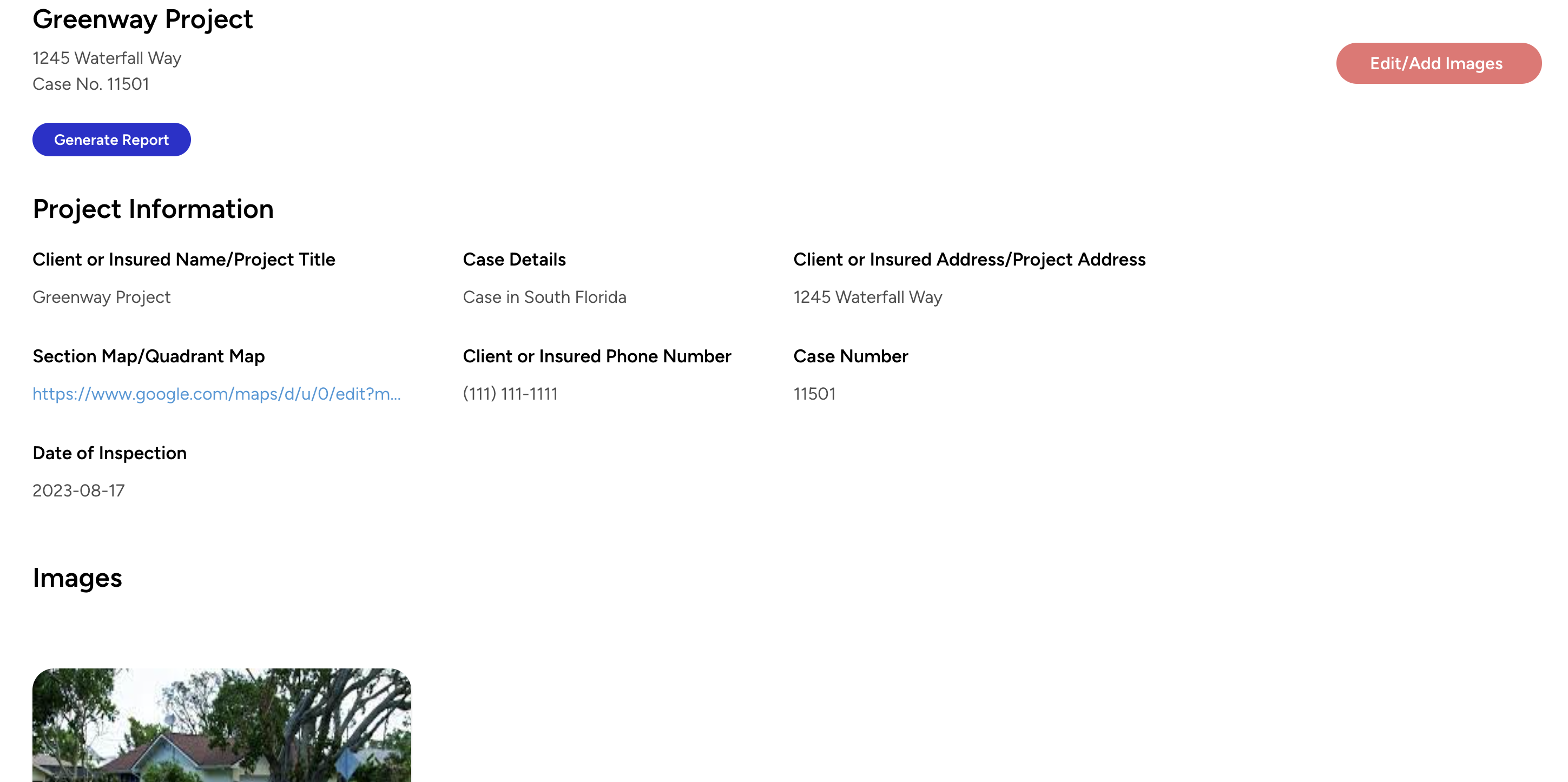

Step 2: Generate a Report
Reports are created with every project, and update automatically when you make any changes.
Step 3: Preview and send the link to clients
Once you have the link, feel free to share it with your clients.
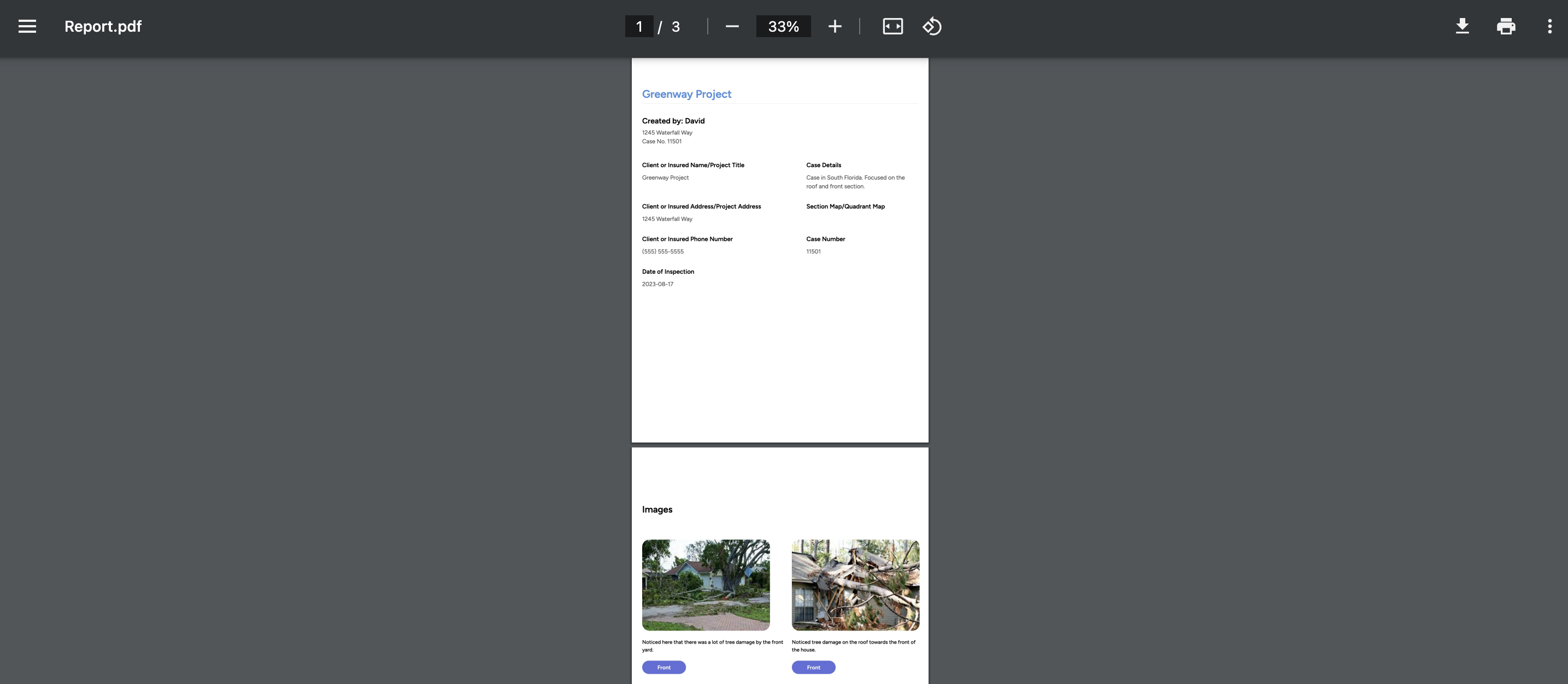
Step 4: Download a PDF copy
Clients also have the option to download the report as a PDF for their reference. You can always email them a PDF copy as well.
Start creating photo reports with Kybo
It's perfect for engineers, contractors, and inspectors who need a simple way to create visually appealing reports. Get started for free here.
Get started